
AI Social Media Captions: How to Write Better Captions Faster
Creating high-performing AI social media captions is the most effective way for modern marketers to eliminate writer’s block and scale content production. Writing one great caption is usually easy. However, generating 30, 50, or 100 engaging posts every single month is a completely different story.
Many marketers spend far more time staring at a blank screen than actually publishing content. Between brainstorming ideas, finding the right tone of voice, and editing every sentence, copy generation quickly becomes a major productivity bottleneck.
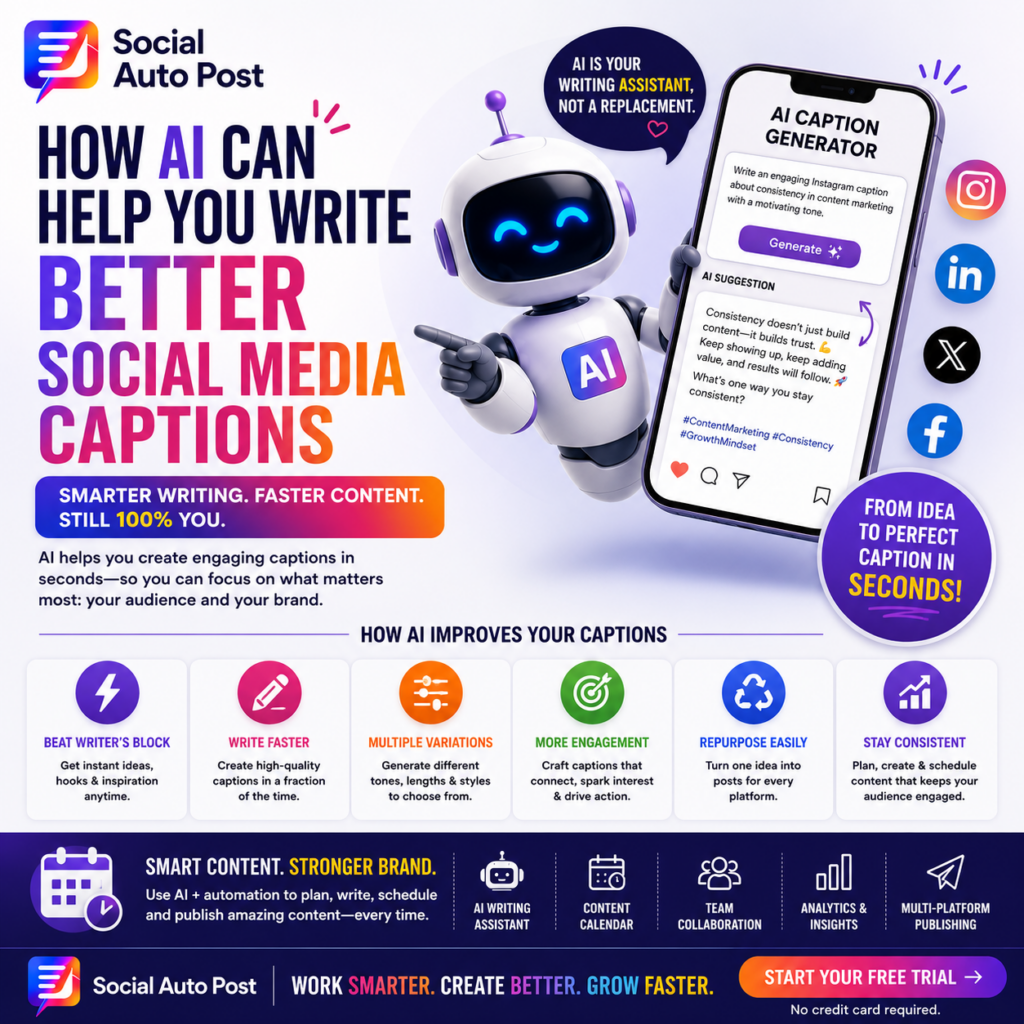
This is where leveraging AI social media captions changes the game. Modern artificial intelligence tools do not replace human creativity—they accelerate it. When used correctly within a structured workflow, AI tools help you draft higher-quality copy faster while keeping your brand’s authentic voice intact.
Why AI Social Media Captions Act as a Writing Assistant
One of the biggest misconceptions about content automation is that software should write everything for you automatically. However, top digital marketers use AI differently.
Instead of relying on autopilot, think of AI as a creative assistant:
-
What AI Handles: Brainstorming campaign hooks, generating first drafts, expanding on key points, creating platform-specific variations, and shortening long-form text.
-
What Humans Provide: Strategic alignment, unique brand voice, storytelling nuances, personal industry experiences, and final editorial review.
When you pair human strategy with automated drafting, creating AI social media captions becomes a competitive productivity advantage.
Step-by-Step Workflow for AI Social Media Captions
Building a scalable publishing system requires a structured process. Follow this 8-step framework to maximize your output.
Phase 1: Strategy and Prompting
Phase 2: Brand Personalization and Multi-Platform Optimization
Step 4: Inject Authentic Brand Voice
Generic language alienates followers. Consequently, always review your draft and insert specific company terminology, customer success stories, and unique industry perspectives.
Step 5: Tailor AI Social Media Captions for Specific Networks
One caption rarely performs equally well across every channel. Because platform cultures differ, adapt your messaging accordingly:
-
LinkedIn: Focus on professional insights, career takeaways, and conversational storytelling.
-
Instagram: Emphasize visual context, emotional connection, and concise line breaks.
-
Facebook: Prioritize community discussion, open-ended questions, and shared links.
-
X (Twitter): Keep updates short, punchy, and thought-provoking.
To learn more about current network engagement trends, review Hootsuite’s Social Media Trends Report.
| Social Platform | Recommended Content Style | Primary Copy Objective |
| Professional, insightful, conversational | Thought leadership & B2B engagement | |
| Storytelling, visual context, relatable | Brand affinity & community interaction | |
| Group-focused, discussion-heavy | Clicks, shares, & community comments | |
| X (Twitter) | Short, direct, contrarian hooks | Rapid conversations & virality |
Step 6: Optimize Opening Hooks
The first sentence determines whether a user clicks “see more.” Instruct your AI assistant to generate curiosity-driven openings, surprising industry stats, or bold statements.
-
❌ Weak Hook: “Today we’re talking about social media tools.”
-
✅ Strong Hook: “Most growth teams waste over 10 hours every week writing captions manually.”
Step 7: Repurpose Long-Form Content
AI excels at converting long-form assets—such as blog posts, whitepapers, or podcasts—into bite-sized social posts, X threads, carousel copy, and newsletter blurbs.
Step 8: Perform a Human Authenticity Audit
Before scheduling any draft, ask yourself: Does this sound like our team? Is it accurate? Does it offer real value? For additional tips on building long-term content strategies, explore our guide on evergreen content marketing.
Common Mistakes to Avoid with AI Social Media Captions
Warning: Never publish unedited AI output. Publishing raw synthetic copy increases the risk of factual errors, awkward phrasing, and lost audience trust.
-
Copying Output Word-for-Word: Always add personal edits and real-world examples.
-
Omitting the Call-to-Action (CTA): Guide your audience on what to do next (e.g., comment, click a link, or share).
-
Ignoring Network Nuances: Cross-posting identical copy across distinct social networks harms organic reach.
For more details on avoiding automated queue traps, read our breakdown of social media automation mistakes.
Streamline AI Social Media Captions with Social Auto Post
Creating AI social media captions across multiple profiles can quickly get messy without the right software. Social Auto Post integrates advanced AI writing assistance directly into your publishing calendar.
Key platform features include:
-
In-App AI Writing Assistant: Generate caption variations and hooks instantly inside your scheduling dashboard.
-
Multi-Platform Formatting: Automatically re-write captions tailored to the norms of LinkedIn, Instagram, Facebook, and X.
-
Visual Calendar Scheduling: Plan out a full month of scheduled posts in a single afternoon.
-
Team Collaboration & Approvals: Review and edit drafts seamlessly before they go live.
Scale Your Social Media Workflow
Combining smart AI writing tools with automated distribution infrastructure transforms social media management from a daily chore into a predictable growth pipeline:
-
Learn How to Execute Monthly Content Planning in One Afternoon
-
Discover How to Repurpose One Long-Form Asset into 20 Unique Social Posts
Frequently Asked Questions
Can AI write good social media captions automatically?
Yes. AI tools generate high-quality first drafts, outline creative hooks, and format copy for different networks. However, human editing is essential to ensure brand alignment and factual accuracy.
Will using AI social media captions hurt organic post engagement?
Not if the copy is reviewed and customized. While generic, unedited AI posts may underperform, personalized AI-assisted captions often improve reach by enabling consistent, well-structured publishing.
What is the biggest advantage of using AI for caption generation?
Write Better Captions in Less Time
Start Your Free Trial of Social Auto Post Today and build a faster, smarter content strategy!